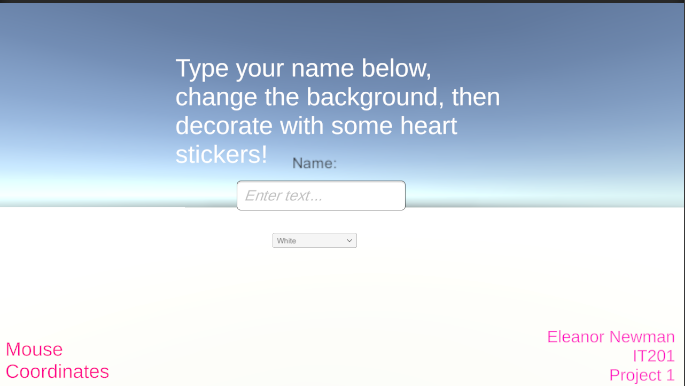
Eleanor Newman-IT201-Project1
Feature 1: text input
Input: user clicks on text box
Process: Once the user clicks on the text box, it will translate what is typed on a keyboard into the text box on screen
Output: the users typed name will be shown in the text box where they typed it
Feature 2: Mouse Coordinates
Input: Mouse location
Process: X and Y locations are found and translated to a text object
Output: X and Y locations are found on screen
Feature 3: Heart Stickers
Input: User clicks on screen
Process: it recognizes where mouse is on screen with use of main camera, then once user clicks the code makes an object appear
Output: it will make a heart appear where user clicks
Feature 4: Dropdown Menu
Input: User clicks on one of the dropdown options
Process: the dropdown menu extends, the option is selected and then based on the option, the color will change on the floor of the scene
Output: The user will be able to change the colors of the floor